Ohita ja siirry sisältöön
Nopea toimitus ympäri Suomea
  • Kauppa
    • BundlesBundles
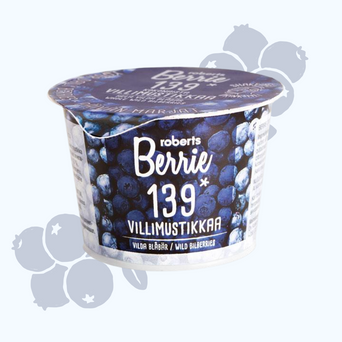
    • VillimustikkaVillimustikka
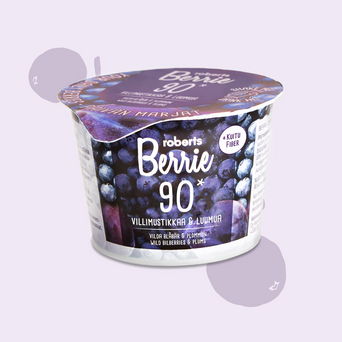
    • Villimustikka & Luumu + KuituVillimustikka & Luumu + Kuitu
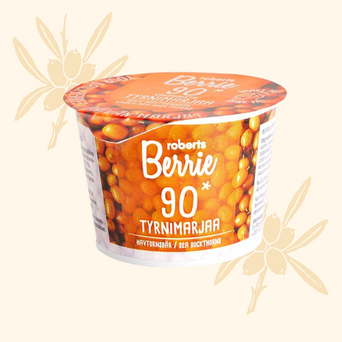
    • TyrniTyrni
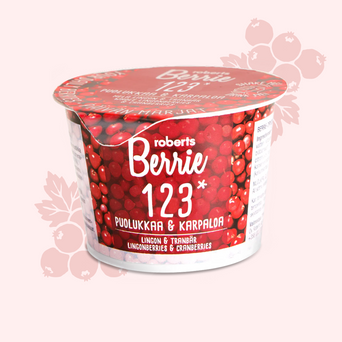
    • Puolukka & KarpaloPuolukka & Karpalo
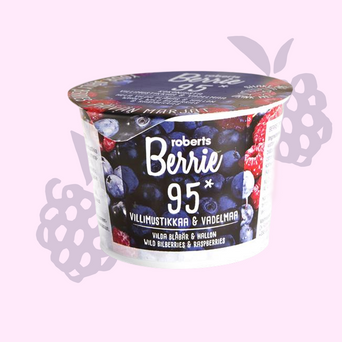
    • Villimustikka & VadelmaVillimustikka & Vadelma
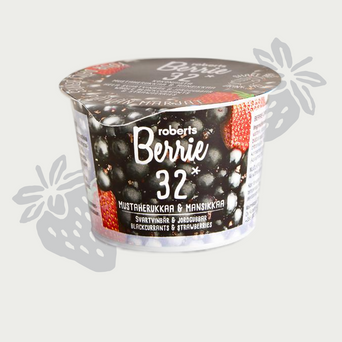
    • Mustaherukka & MansikkaMustaherukka & Mansikka
    • Lakka & Tyrni + SinkkiLakka & Tyrni + Sinkki
  • Meidän tarina
  • Usein kysyttyä
Roberts Berrie
Roberts Berrie
  • Tili
  • Ostoskori

Tuote lisätty ostoskoriisi

Roberts Berrie
  • Kauppa
  • Meidän tarina
  • Ota yhteyttä & kysymykset
  • Kirjaudu tilille

Maista suosikkiamme

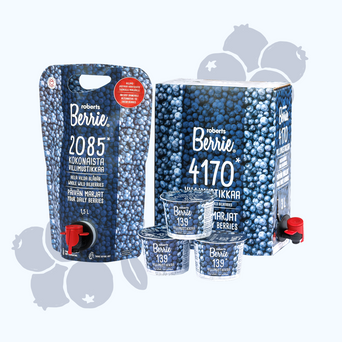
Villimustikka Villimustikkamyydyin makumme, aloita tästä 19,90 € Tilaa ja säästäKestotilauksilla aina 15% alennus, muokkaa tai lopeta milloin vain
[BD] robertsBerrie — Metafield Overview

[BD] robertsBerrie — Metafield Overview

Content Overview — Roberts Berrie

What is managed where, per the design dev notes. Store: roberts-berrie-suomi.myshopify.com · namespace bd_theme

Custom fields are kept minimal and follow the section dev notes. Metaobjects hold repeatable editorial collections (benefits, stats, FAQ). Product metafields hold per-product data, and variant metafields hold data that differs per size/variant. Everything else (hero, rich-text, featured collection, bilberry accordion, subscription) is edited inline as section settings/blocks in the Theme Editor.
🌐 Translations run through Translate & Adapt. Finnish is the store's base language (the Reference / left column) and English is the translation (the right column) shown on /en. To translate any BD text value, open it in Translate & Adapt: the Finnish base appears on the left, you enter the English on the right.

⚠️ Always fill the English slot. If the English column is left empty, /en falls back to the Finnish base, so Finnish text shows up in the English shop. When editing the Finnish base, secure the English first, then change the Finnish, otherwise the English version is lost.

Which BD values carry text worth translating: [BD] Benefit line, [BD] Card Badges ("Bestseller", "New") and the metaobject entries ([BD] Benefit Item, [BD] Stat Item, [BD] FAQ Item). [BD] Variant Detail is mostly units (6 × 100ml, 3 L) that usually read the same in every language — translate only the ones containing words. [BD] Accent Color is a colour, [BD] Variant Featured Image and [BD] Variant Cart Image are images, and the two reference fields ([BD] Science Stats, [BD] FAQ Items) only point at metaobject entries, so none of these carries any text of its own.

Metaobjects 3 · editorial collections

Manage entries under Content → Metaobjects. Sections render section-block fallbacks until entries are added.

[BD] Benefit Item bd_benefit_item
Fields: title (text, req) · body (multi-line) · icon (SVG file) — used by bd-benefits
Homepage → Benefits section
Translatable — title & body per language, in Translate & Adapt; the icon file is shared.
[BD] Stat Item bd_stat_item
Fields: title · header · subheader · image (req) · accent_number_01–04 (req) · accent_text_01–04 (req) — used by bd-science-stats (homepage) & bd-pdp-science (per product)
Homepage → "Science backed deliciousness" section (one fixed entry) · Product page (PDP) → per product via the [BD] Science Stats product metafield → one Stat Item entry
Translatable — title, header, subheader and all 8 accent number/text fields per language, in Translate & Adapt; the image is shared.
[BD] FAQ Item bd_faq_item
Fields: title (req) · header · text — used by faq (collapsible_menu)
Homepage · Collection · About · FAQ page → FAQ accordion · Product page (PDP) → per product via the [BD] FAQ Items product metafield
Translatable — title, header & text per language, in Translate & Adapt.

Product metafields 5 · per-product

Manage values under Products → select product → Metafields. The first three fields are required for product-card rendering.

[BD] Accent Color color
product.metafields.bd_theme.color_accent — pastel flavour colour, unique per product — drives both the collection-card background and the product page (PDP) background (theme-native binding) (e.g. #F4FAFF Wild Bilberry · #F0E9F5 Wild Bilberry & Plum · #FFF8EA Sea Buckthorn · #FFEFEF Lingonberry & Cranberry · #FFEAFA Wild Bilberry & Raspberry · #EDEDE9 Black Currant & Strawberry · #FFDFC2 Cloudberry & Sea Buckthorn).
Collection page & Homepage → product-card background · Product page (PDP) → page background
Not translatable — it holds a colour, not text. The same colour is used in every language.
[BD] Benefit line single line text
product.metafields.bd_theme.short_description — one-line benefit tagline under the product title on the card and buy-box (e.g. "Steadier energy, sharper focus, fewer afternoon slumps." for Wild Bilberry). (Field key stays short_description; display name aligned to the design dev note "Benefit line".)
Collection page & Homepage → under product-card title · Product page (PDP) → under buy-box title
Translatable — per product, per language, in Translate & Adapt.
[BD] Card Badges text list
product.metafields.bd_theme.card_badges — benefit badge labels on the product card, e.g. Bestseller or New. One badge per product. The sale badge ("Save 15%") is not stored here — it is computed automatically by the theme from the product's sale state (compare-at price vs. current price), so it appears whenever a product is on sale without any manual update.
Collection page & Homepage → product-card badge
Translatable — per product, per language (e.g. "Bestseller" → "Bestseller", "New" → "Neu"). The automatic sale badge is translated by the theme’s own language files, not here.
[BD] Science Stats Stat Item reference
product.metafields.bd_theme.science_stats — points at one [BD] Stat Item metaobject (header, subheader, image + 4 accent number/text pairs). Makes the PDP "Science backed deliciousness" section per-product. Manage under Products → select product → Metafields → [BD] Science Stats; create the Stat Item under Content → Metaobjects.
Product page (PDP) → "Science backed deliciousness" section (dynamic per product)
Nothing to translate here — this field only points at a Stat Item entry. Translate the wording on the [BD] Stat Item entry itself.
[BD] FAQ Items FAQ Item list
product.metafields.bd_theme.faq_items — an ordered list of [BD] FAQ Item metaobjects. The PDP FAQ accordion renders this product's list automatically. Manage under Products → select product → Metafields → [BD] FAQ Items; create/edit the entries under Content → Metaobjects → [BD] FAQ Item.
Product page (PDP) → FAQ accordion (per product)
Nothing to translate here — this field only points at FAQ Item entries. Translate the questions and answers on the [BD] FAQ Item entries themselves.

Variant metafields per-variant

Manage values under Products → select product → scroll to Variants → click a variant → Metafields. Each size/variant has its own value.

[BD] Variant Detail single line text
variant.metafields.bd_theme.variant_detail — the volume / quantity line shown directly under the variant name in the product page's "Choose your size" selector, exactly as in the design ("Cup Pack" on the first line, "6 × 100ml" on the second). Typical values: 6 × 100ml, 1,5 L, 3 L. Leave it empty and nothing extra is shown — the variant name renders alone, so filling this in is entirely optional and can be done one variant at a time.
Product page (PDP) → "Choose your size" selector (per variant)
Translatable — per variant, per language, in Translate & Adapt (e.g. "6 × 100ml" stays as-is, but "3 L Hanapakkaus" → "3 L Bag-in-Box").
[BD] Variant Featured Image image
variant.metafields.bd_theme.variant_featured_image — a dedicated transparent-background product image per variant, shown in the "Choose your size" variant selector on the product page. Lets each variant (Cup Pack, Pouch, Bag-in-Box) display its own packaging shot without a coloured background, instead of the default product image. Leave it empty and the variant falls back to the default product image — so filling this in is optional and can be done one variant at a time.
Product page (PDP) → "Choose your size" variant selector (per variant)
Not translatable — it holds an image, shared across every language.
[BD] Variant Cart Image image
variant.metafields.bd_theme.variant_cart_image — a dedicated per-variant image for the cart line item, so the cart matches the prototype: the cup images with a transparent background and the scribbles. Sits right next to [BD] Variant Featured Image on the variant level. Leave it empty and the cart falls back to the default variant/product image — so filling this in is optional and can be done one variant at a time.
Cart → line item image (per variant)
Not translatable — it holds an image, shared across every language.
⚠️ One content decision goes with this field. In the design the variant name is the pack name ("Cup Pack", "Pouch", "Bag-in-Box") and the volume sits on the second line. In the store today the variant names already contain the volume ("6 x 100ml", "1,5 L Pouch", "Hanapakkaus 3L"), so the two lines currently repeat each other. To match the design, rename the Pakkauskoko option values to the pack names and keep the volume in [BD] Variant Detail. Renaming option values is a store-data change (it affects existing orders' variant labels), so we left it to you rather than doing it ourselves — the theme renders correctly either way.

Product tags single / bundle filter

Manage under Products → select product → Tags. These two tags drive the Single / Bundle filter tabs on the collection page.

Tag single & tag bundle exclusive
Every product carries exactly one of the two tags — single for individual products, bundle for multi-packs (e.g. 6-pack, Mix-pack). Never both. The collection page filters natively on these tags: the default view shows singles only (first tab), and the Bundle tab shows bundles only. A new product without a tag will not appear correctly in the filter — always tag new products. Filtered views live at /collections/<collection>/single and /collections/<collection>/bundle; the tabs switch between them with a smooth in-page transition. Note: a product's Product type should stay consistent with the rest of the catalogue (e.g. "Berrie") — the filter runs on the tag, and an off-type value (e.g. "Bundle") can drop the product out of the tab.
Collection page → Single / Bundle filter tabs

Section settings (not metadata) Theme Editor · Homepage

  • Hero heading & background image — bd-hero settings (client override of its dev note)
  • Rich-text inline heading lines & insets — bd-rich-text-inline blocks
  • Featured collection — featured-collection collection picker
  • Bilberry accordion — collapsible-menu-with-image blocks
  • Subscription heading & discount — bd-subscription settings

Updated 2026-08-18 · 3 metaobjects (all translatable), 5 product metafields, 3 variant metafields, 2 product tags (single/bundle), 0 shop metafields · translations run through Translate & Adapt (Finnish base, English column — see the note at the top) · per section dev notes + client instructions (product-card pass, translations pass, PDP size-detail pass, variant featured-image pass, variant cart-image pass).

Frequently Asked Questions

Everything worth knowing — answered.

Still curious?

Write us at hello@robertsberrie.com

What's actually in it?

As much whole wild berry as we can fit. The berries are washed, crushed whole — seeds, skin, flesh — and that's it. No added water, no concentrates, no fillers. Just berry.

Are there any preservatives in it?

None. The product is preserved by its own natural acidity and sealed under nitrogen. No additives, no stabilisers.

Is there added sugar?

No. The sweetness comes entirely from the fruit. Wild Nordic berries have a naturally complex, sweet-tart flavour.

Isn't this just juice?

Not at all. Juice removes the fibre, skin, and seeds — everything that carries the polyphenols and anthocyanins. We crush the whole berry and leave everything in.

Why does it taste sweet if there's no added sugar?

Wild berries are naturally sweet — especially bilberries, which have high levels of fructose and flavonoids. Nothing added.

Does it need refrigeration?

Before opening, no — the sealed cup is shelf-stable. After opening, yes — refrigerate and consume within 24 hours.

Why is the shipping expensive?

Cold chain logistics for fresh, un-preserved product from Finland cost what they cost. We price shipping at cost, never as a margin line.

How many berries are actually in a cup?

A 100 ml serving contains the equivalent of around 139 whole wild bilberries.

Money-back guarantee

Not happy? Contact us within 30 days and we'll refund you — no questions, no returns needed.

Join the Berrie circle

Sign up for a free 6-pack and get 15% off your first order.

Kauppa
  • Berrie-paketti
  • Villimustikka
  • Tyrni
  • Lakka & Tyrni + Sinkki
  • Mustaherukka & Mansikka
  • Puolukka & Karpalo
  • Villimustikka & Luumu + Kuitu
  • Villimustikka & Vadelma
Tuki
  • UKK
  • Ota yhteyttä
  • Meistä
  • Käyttöehdot
Tili
  • Kirjaudu tilille
Roberts Berrie

Kokonaisia pohjolan marjoja murskattuna juotavaan muotoon. Suomalainen 116-vuotias perheyritys.

Copyright roberts Berrie 2026

created by bd
  • American Express
  • Apple Pay
  • Bancontact
  • Diners Club
  • Discover
  • Google Pay
  • JCB
  • Klarna
  • Maestro
  • Mastercard
  • MobilePay
  • PayPal
  • Union Pay
  • Visa

Berrie on puhdasta marjan iloa – ei lääkettä. Nautiskele intensiivisestä makumaailmasta, mutta muista, että tuote ei ole tarkoitettu sairauksien diagnosointiin, hoitoon tai ehkäisyyn.

Ostoskori

You’re 100,00 € away from free shipping — orders over 100 € ship free.

Ostoskorisi on tyhjä.

Lisää suosikkimarjasi ostoskoriin.

Osta nyt

Ladataan...

Paikallistamisasetukset
  • Maa/alue
  • Kieli
Viro Viro | EUR €

Toimitus kohdistuu tällä hetkellä maahan Viro ja tilauksesi laskutetaan valuutassa EUR €.

  • Alankomaat Alankomaat EUR €
  • Arabiemiirikunnat Arabiemiirikunnat EUR €
  • Australia Australia EUR €
  • Belgia Belgia EUR €
  • Bosnia ja Hertsegovina Bosnia ja Hertsegovina EUR €
  • Brunei Brunei EUR €
  • Bulgaria Bulgaria EUR €
  • Espanja Espanja EUR €
  • Etelä-Korea Etelä-Korea EUR €
  • Filippiinit Filippiinit EUR €
  • Hongkong – Kiinan erityishallintoalue Hongkong – Kiinan erityishallintoalue EUR €
  • Indonesia Indonesia EUR €
  • Intia Intia EUR €
  • Irlanti Irlanti EUR €
  • Islanti Islanti EUR €
  • Israel Israel EUR €
  • Italia Italia EUR €
  • Itävalta Itävalta EUR €
  • Japani Japani EUR €
  • Jemen Jemen EUR €
  • Jordania Jordania EUR €
  • Kambodža Kambodža EUR €
  • Kanada Kanada EUR €
  • Kazakstan Kazakstan EUR €
  • Kreikka Kreikka EUR €
  • Kroatia Kroatia EUR €
  • Kuwait Kuwait EUR €
  • Kypros Kypros EUR €
  • Latvia Latvia EUR €
  • Liettua Liettua EUR €
  • Luxemburg Luxemburg EUR €
  • Malesia Malesia EUR €
  • Malta Malta EUR €
  • Meksiko Meksiko EUR €
  • Monaco Monaco EUR €
  • Montenegro Montenegro EUR €
  • Norja Norja EUR €
  • Oman Oman EUR €
  • Portugali Portugali EUR €
  • Puola Puola EUR €
  • Qatar Qatar EUR €
  • Ranska Ranska EUR €
  • Romania Romania EUR €
  • Ruotsi Ruotsi EUR €
  • Saksa Saksa EUR €
  • Saudi-Arabia Saudi-Arabia EUR €
  • Serbia Serbia EUR €
  • Singapore Singapore EUR €
  • Slovakia Slovakia EUR €
  • Slovenia Slovenia EUR €
  • Suomi Suomi EUR €
  • Sveitsi Sveitsi EUR €
  • Taiwan Taiwan EUR €
  • Tanska Tanska EUR €
  • Thaimaa Thaimaa EUR €
  • Tšekki Tšekki EUR €
  • Unkari Unkari EUR €
  • Uusi-Seelanti Uusi-Seelanti EUR €
  • Vietnam Vietnam EUR €
  • Yhdistynyt kuningaskunta Yhdistynyt kuningaskunta GBP £
  • Yhdysvallat Yhdysvallat USD $
  • Vaihtoehdon valinta päivittää koko sivun.
Näytä kaikki tiedot